
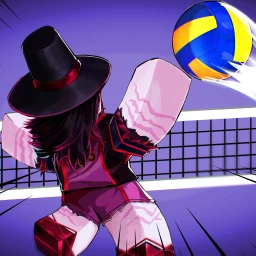
Volleyball Legends Auto Receive Script
-- LUA Paste | Volleyball Legends Auto Receive Script
-- https://luapaste.com/volleyball-legends/auto-receive-script/
-- Loads auto receive: passes every incoming ball cleanly.

loadstring(game:HttpGet("https://luapaste.com/raw/volleyball-legends/auto-receive-script.lua"))()
This Volleyball Legends auto receive script passes every ball for you — it receives incoming spikes and serves cleanly, keeping the rally alive and setting up your spike. Hit Copy Script, or use our free executor if you don't have one yet.
What this script does
Auto Pass
Receives every incoming spike and serve cleanly.
Auto Position
Moves you under the ball to make the pass.
Perfect Timing
Times the receive so the pass is clean, not shanked.
Set Up Spike
Pops the ball up ready for your spike.
Cover Court
Reaches balls across your side of the net.
Quick Toggle
Bind auto receive to a key to flip it on and off.
No more shanked passes — every incoming ball is received cleanly and popped up for the spike.
Finish the rally with the auto spike script, and defend the net with auto block.
How to use the auto receive script
- Copy the script using the button above.
- Open your Roblox executor and join Volleyball Legends. No executor? Tap Get Free Executor.
- Paste the script into the executor's editor box.
- Press Execute. Toggle auto receive on and you pass every ball.
Auto receiving in Volleyball Legends
A rally is lost the moment a pass gets shanked, and receiving a hard spike with the right timing is one of the toughest skills in Volleyball Legends. This script handles it: it moves you under the ball, times the receive, and pops it up cleanly so the rally continues and your spike is set up.
It's the defensive half of a full setup. Pair it with the auto spike script so the clean pass turns into a point, and the auto block script at the net.