
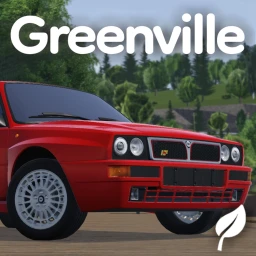
Greenville Car Fly Script
-- LUA Paste | Greenville Car Fly Script
-- https://luapaste.com/greenville/car-fly-script/
-- Loads car fly: lets your car fly over the Greenville map.

loadstring(game:HttpGet("https://luapaste.com/raw/greenville/car-fly-script.lua"))()
This Greenville car fly script lifts your car off the road so you can fly straight over the town — skip the traffic, cross the map in seconds and land wherever you like. Hit Copy Script, or use our free executor if you don't have one yet.
What this script does
Car Flight
Lift your car into the air and steer it freely.
Fly Speed
Set how fast the car moves while flying.
Skip Traffic
Float over jams and red lights entirely.
Reach Anywhere
Fly straight to any corner of the map.
Smooth Control
Keeps the car steady and easy to steer in the air.
Quick Toggle
Bind car fly to a key to flip it on and off.
Car fly turns the whole map into a shortcut — fly over the town instead of driving around it.
Pair it with the money farm to afford the car first, and speed when you'd rather stay on the road.
How to use the car fly script
- Copy the script using the button above.
- Open your Roblox executor and join Greenville. No executor? Tap Get Free Executor.
- Paste the script into the executor's editor box.
- Press Execute. Get in a car, toggle car fly and lift off.
Using car fly in Greenville
Greenville's map is large and the roads wind, so getting from one side of town to the other takes a while. Car fly skips all of it — your car lifts off the road and flies freely, so you can float over the traffic, cross the whole map in seconds and set down exactly where you want to be.
It's the most fun way to get around once you own a car you like. Use the money farm to buy that car first, and teleport when you'd rather jump somewhere instantly.