
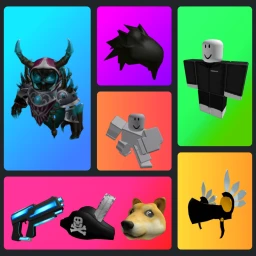
Catalog Avatar Creator Troll GUI Script
-- LUA Paste | Catalog Avatar Creator Troll GUI Script
-- https://luapaste.com/catalog-avatar-creator/troll-gui-script/
-- Loads the troll GUI: prank effects, spam and visual gags for the server.

loadstring(game:HttpGet("https://luapaste.com/raw/catalog-avatar-creator/troll-gui-script.lua"))()
This Catalog Avatar Creator troll GUI script is a menu of harmless pranks — visual effects, chat spam, fake announcements and silly gags you can drop on the whole server for a laugh. Hit Copy Script, or use our free executor if you don't have one yet.
What this script does
Prank Menu
A GUI full of one-click gags and effects.
Sound Spam
Blast funny sounds and effects across the server.
Fake Messages
Post joke announcements and chat gags.
Visual Effects
Screen effects and particle gags for everyone.
Target Player
Aim a prank at one player instead of the room.
Quick Toggle
Bind the troll menu to a key to open it fast.
The troll GUI is pure lobby fun — line up a gag, hit it, and watch the server react.
For more control, the admin commands script bundles these pranks with movement, or grab the fly script to set up the gag.
How to use the troll gui script
- Copy the script using the button above.
- Open your Roblox executor and join Catalog Avatar Creator. No executor? Tap Get Free Executor.
- Paste the script into the executor's editor box.
- Press Execute. The troll menu opens — pick a gag and fire it.
Using a troll GUI in Catalog Avatar Creator
Half the appeal of the Catalog Avatar Creator lobby is messing around with whoever's in the server, and a troll GUI gives you a whole menu of ways to do it — sound spam, screen effects, fake announcements and visual gags, all one click away.
Everything in it is harmless fun rather than anything destructive. If you want those pranks alongside real movement tools, the admin commands script includes them in its bigger menu.